Cancel
Start searching

This search is based on elasticsearch and can look through several thousand pages in miliseconds.
Learn more

No one really wants to patch code. Unfortunately, it’s often necessary, because bugs tend to creep into even stable software versions. And when it comes to quickly closing security vulnerabilities or fixing bugs in a timely manner, waiting for a fix in one of the next releases often takes too long.
Patches have many drawbacks. They require management. Once a third-party extension or the core has been modified, a simple update is no longer possible. The modified code must be carried forward. Sometimes a fork is the solution, but even then, updates aren’t possible without additional effort. And if the patch is poorly documented or not documented at all in the project, it may eventually be lost and, in the worst case, have to be rediscovered.
For cases like this,Cameron Eaganshas released a lightweight Composer package calledcomposer-patches, which makes it very easy to apply and manage patches for Composer packages. Using the command
composer require "cweagans/composer-patches:~1.0"Composer patches are added to the project and thecomposer.json file. There are two ways to manage these patches. They can be configured directly in thecomposer.jsonfile.
"extra": {
  "patches": {
    "vendor/package": {
      "Bug #1234: Something is wrong": "patches/1234.diff"
    }
  }
}
To avoid overloading thecomposer.jsonfile with configurations, you can instead use an external file to define the patches. In the following, this file is calledcomposer.patches.json. Thecomposer.jsonfile will only contain a reference to this file.
"extra": {
  "patches-file": "composer.patches.json",
  "enable-patching": true
}Thecomposer.patches.jsonfile contains the individual patches and the corresponding patch files.
{
  "patches": {
    "vendor/package": {
      "Bug #1234: Something is wrong": "patches/1234.diff"
    }
  }
}
Instead of a patch file stored in the project, as shown here, you can also use a link to an external patch file.
{
  "patches": {
    "vendor/package": {
      "Bug #1234: Something is wrong": "https://url.to-the-patch-file.com/1234.diff"
    }
  }
}Since one of our clients could no longer see any content in the frontend after updating to TYPO3 version 8.6.1, we set out to investigate. It turned out that a bug in the core was to blame:styles.content.get is no longer available in FSC. Shortly thereafter, a patch became available on the TYPO3 review server:“Make styles.content.get available after major FSC rewrite.”
To avoid being dependent on the next TYPO3 version while still being able to work on the current version, we decided to patch the core using composer-patches. Thecomposer.patches.jsonfile for this project contains a description of the bug and a link to the patch being used.
{
  "patches": {
    "typo3/cms": {
      "Bug #80044: styles.content.get not available in FSC anymore (https://review.typo3.org/#/c/51884)": "patches/3a02a648.diff"
    }
  }
}
This ensures that the patch is applied when `composer install` is run, and that every developer can understand why the patch is necessary. In addition, the configuration is versioned along with the project. The patch file itself cannot be pulled via a link, since composer-patches unfortunately cannot handle either the Base64-encoded patch files provided by TYPO3 or archives.
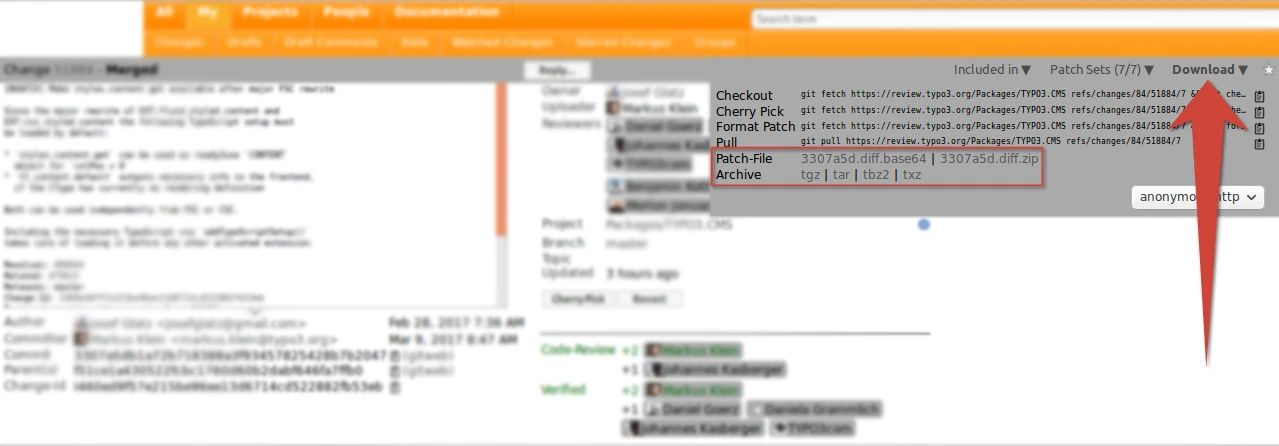
The file extracted from the TYPO3 patch archive (3307a5d.diff.zip) is therefore located in a foldernamed "patches"within the project. This also avoids dependencies on the external TYPO3 review server.
When you run `composer install`, the patch is applied.

If a Neos installation needs to be patched, the same procedure can be followed. The Neos team currently works exclusively on GitHub. As an example, let’s apply commitc448b4eas a patch. Patch files can be generated on GitHub by appending.diffor.patchto the URL.
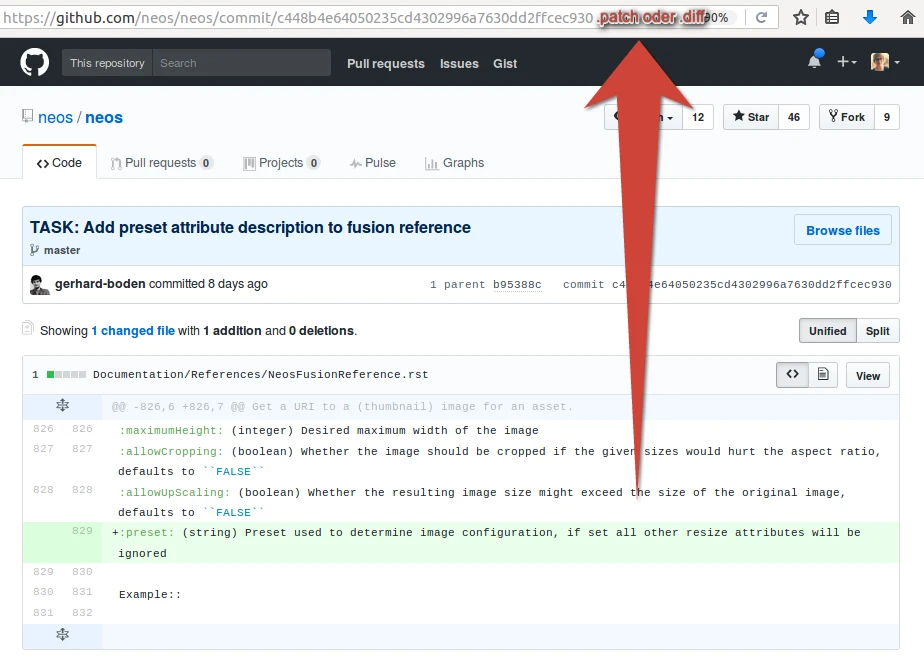
The configuration incomposer.patches.jsontherefore includes a link as the patch source.
{
  "patches": {
    "neos/neos": {
      "TASK: Add preset attribute description to fusion reference": "https://github.com/neos/neos/commit/c448b4e64050235cd4302996a7630dd2ffcec930.patch"
    }
  }
}
The patch is applied when you run `composer install`.

If a patch is unavoidable, using tools like composer-patches is highly recommended. The drawbacks remain within manageable limits, and you can maintain a clear overview of the patched areas in the project. If a clear description—and thus implicit documentation—is added to the patch configuration, the likelihood that knowledge about the patch will be lost is very low, and even colleagues outside the project can immediately understand it. Versioning the patch files and automating the process with Composer also greatly reduces the effort required to maintain the patch within the project.