Cancel
Start searching

This search is based on elasticsearch and can look through several thousand pages in miliseconds.
Learn more

Since last year, the TYPO3 community has been hard at work developing the new version. Many new features, tweaks, and improvements have made it into version 10. With the LTS version 10.4, the version that will be supported through April 2023 will be released.
In this article, three of our developers highlight their favorite features and explain what they’re most excited about.
Do you ever find that editors would rather never delete their content? They’re happy to rewrite and rework it, but deleting content elements? That’s usually out of the question! You might need it again someday! What else is the “Hide” function for, anyway?
If you’re wondering why this might be a problem, you’ve never had to search for that one content element on a page in the Backend that’s not working right and is breaking the front end, while having to scroll through dozens of other content elements. But wait—that’s exactly what the option to hide content elements is for. True! But that doesn’t help when you’re looking for a hidden element—what editor would leave it visible if it’s breaking the page?
We usually use Backend layouts to give the page a little more structure in PageView mode. For example, an editor can manage content for the right column in the frontend layout right here in Backend, or fill in different sections that appear one below the other in the frontend exactly the same way in Backend. But I’ll admit, with 5 different sections and lots of content elements, I have a hard time quickly finding the start of the next section. Up until now, we’ve of course been able to help things along a bit with more or less readable CSS—for example, with background colors. So why is a fluid-based PageLayout module so much better now?
In the simplest case, I can write readable—and therefore low-maintenance—CSS to design something like this:
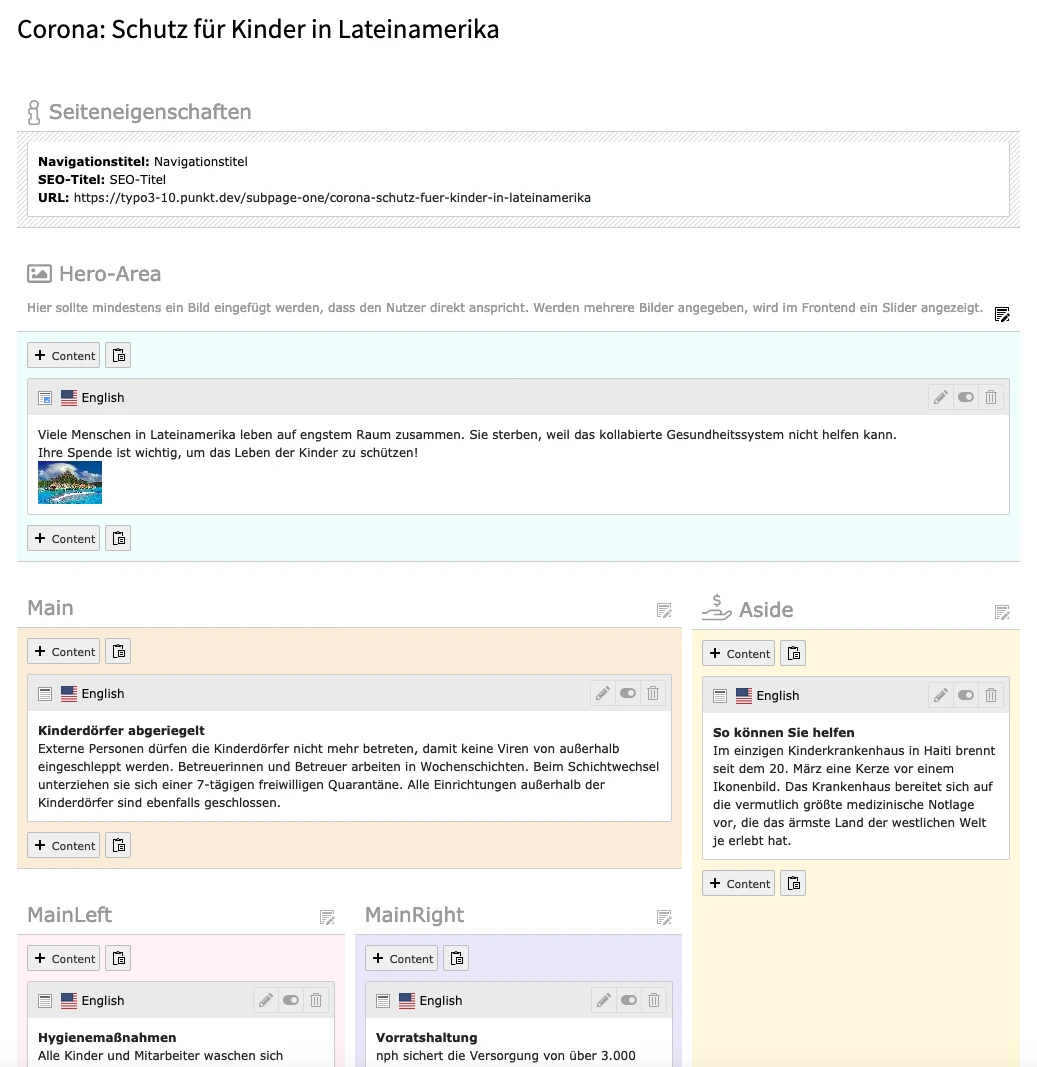
All classes used to change spacing, background colors, and font sizes now have descriptive names. The inline SVGs for the icons in front of the sections are made possible by the HTML’s customizability—each section can be designed entirely to suit individual needs. I could also remove the entire HTML table and replace it with a CSS layout combined with a few div elements.
In addition, I’ve included two features at the top of the page in this example that are helpful for editors: the display of certain page properties, such as the SEO title and navigation title, as well as links to the top of each content section. This makes navigating the page on Backend even easier.
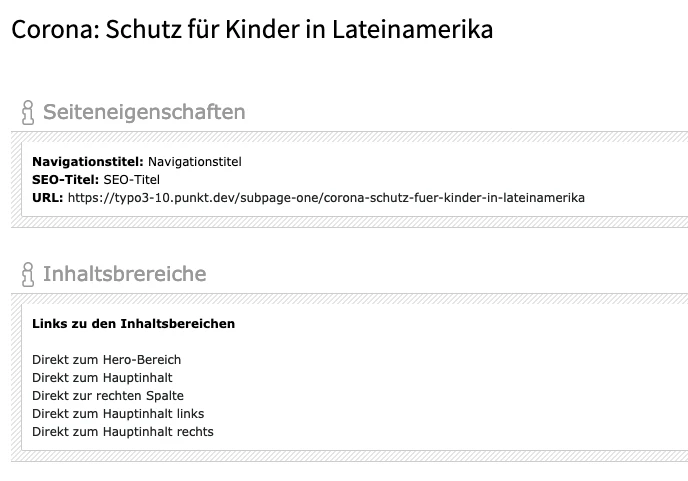
And if that's not enough, you can also customize the display of content elements using Fluid templates and, for example, add additional information to the header or footer.
The frontend login is now available in a new Extbase and Fluid version. The previous PiBase version with marker-based templates still works, but starting with v10, it is disabled during new installations, and the new, modern Extbase version is used automatically.
The PiBase version can be reactivated as needed via the feature toggles in the Backend (Admin Tools → Settings → Feature Toggles), e.g., during a migration or a TYPO3 update:
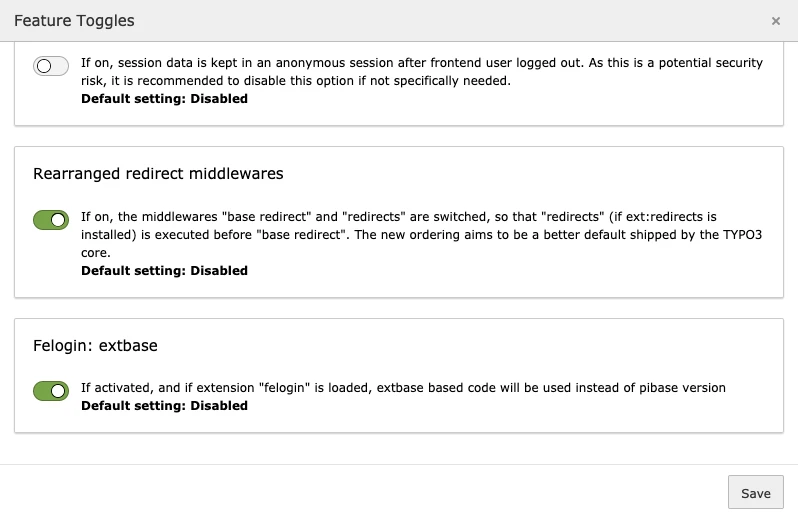
An update wizard called " Migrate felogin plugins to use extbase CType " is available for migrating existing front-end login form plugins. The wizard can also be used to switch back from the Extbase variant to PiBase.
The marker-based templates have been phased out, and we welcome the long-overdue Fluid-based templates. The marker-based version previously came with only a single template, in which all necessary sections were covered using the corresponding subparts. The Fluid-based version features the familiar modern structure with templates and partials:
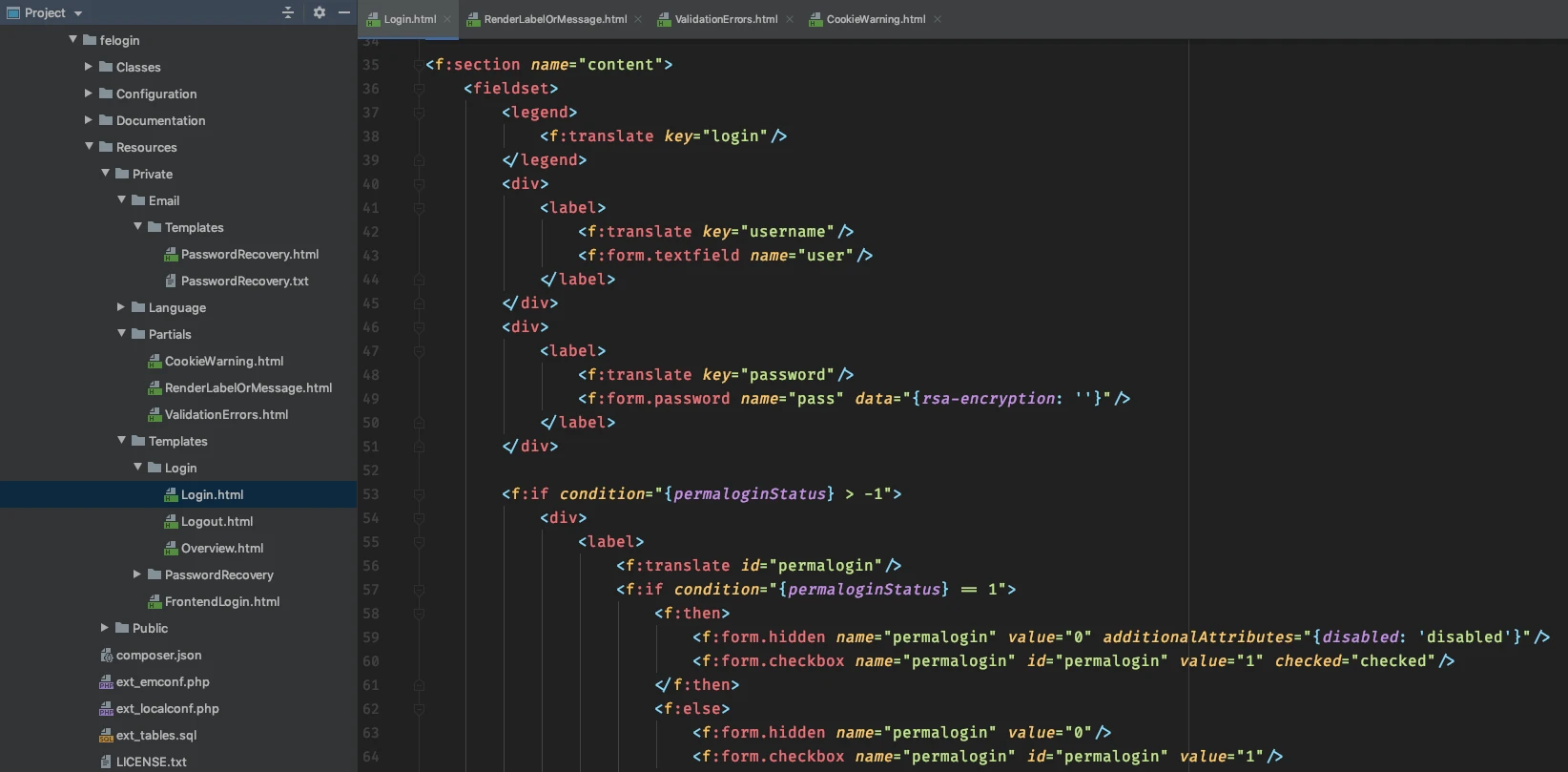
In addition, there is an email template for password recovery in HTML/Fluid and plain text, as well as password validators that can be used to configure password restrictions.
In website projects, the focus is often on the front end and its features and layouts. The Backend, on the other hand, usually receives less attention; it’s often overloaded and can sometimes be intimidating for editors.
That’s why I’m all the more pleased that TYPO3 now includes the Dashboard, a fantastic new feature for Backendusers.
The Dashboard is an area that users can customize entirely to their liking using predefined widgets. The widgets can be moved and arranged using drag-and-drop, and small widgets can also be placed side by side. If one dashboard isn’t enough, the user can create additional dashboards and populate them with widgets as desired.
For integrators, the dashboard also offers the option to predefine ready-made dashboards equipped with widgets. When creating a new dashboard, the user can then select one of these as a template.
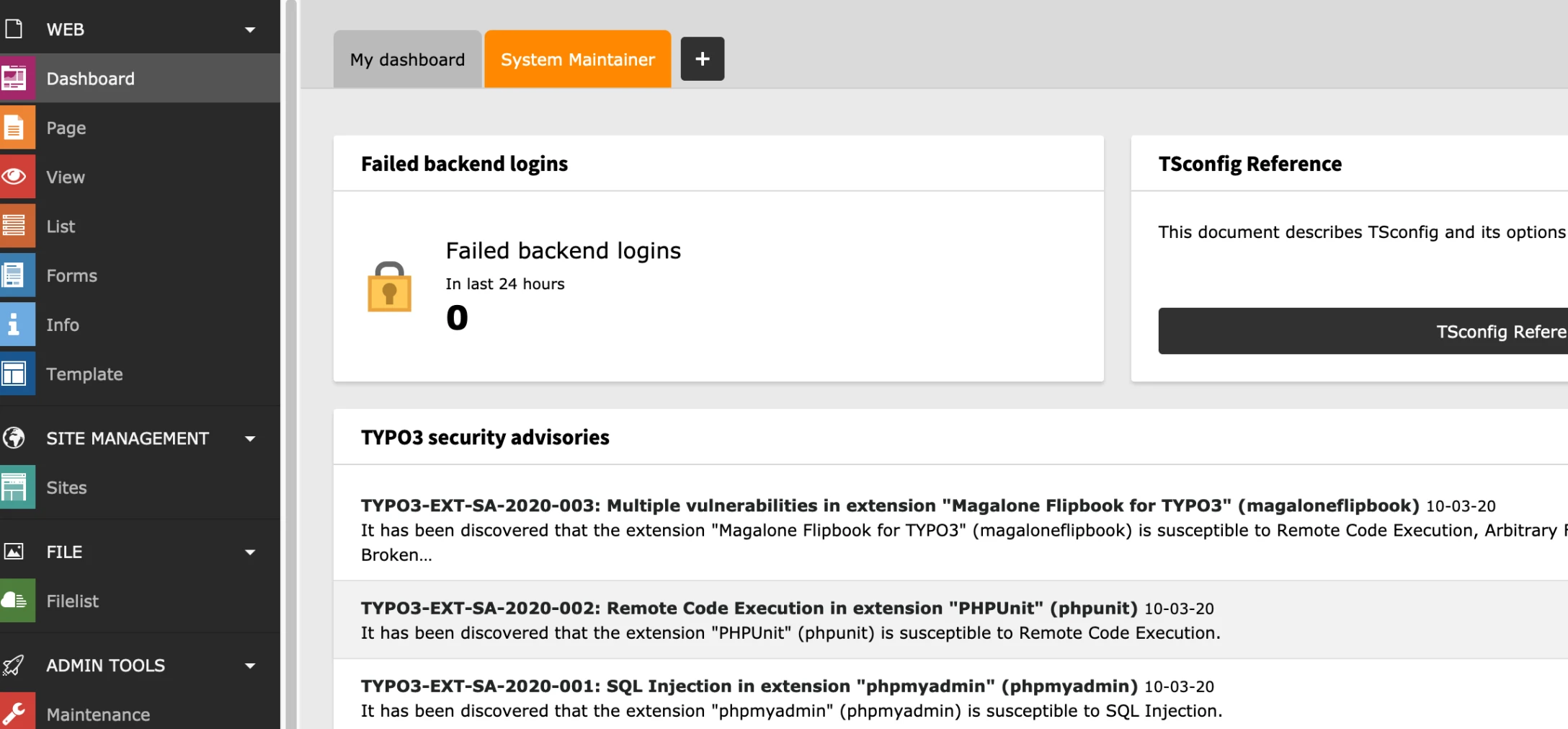
Currently, the dashboard offers only a small selection of pre-configured widgets. These widgets provide information about the system or the latest news from the TYPO3 community.
As such, these widgets are primarily intended for administrators to help them stay up to date on both the system and TYPO3. One example is the “TYPO3 security advisories” widget, which provides the latest information on security vulnerabilities and security updates.
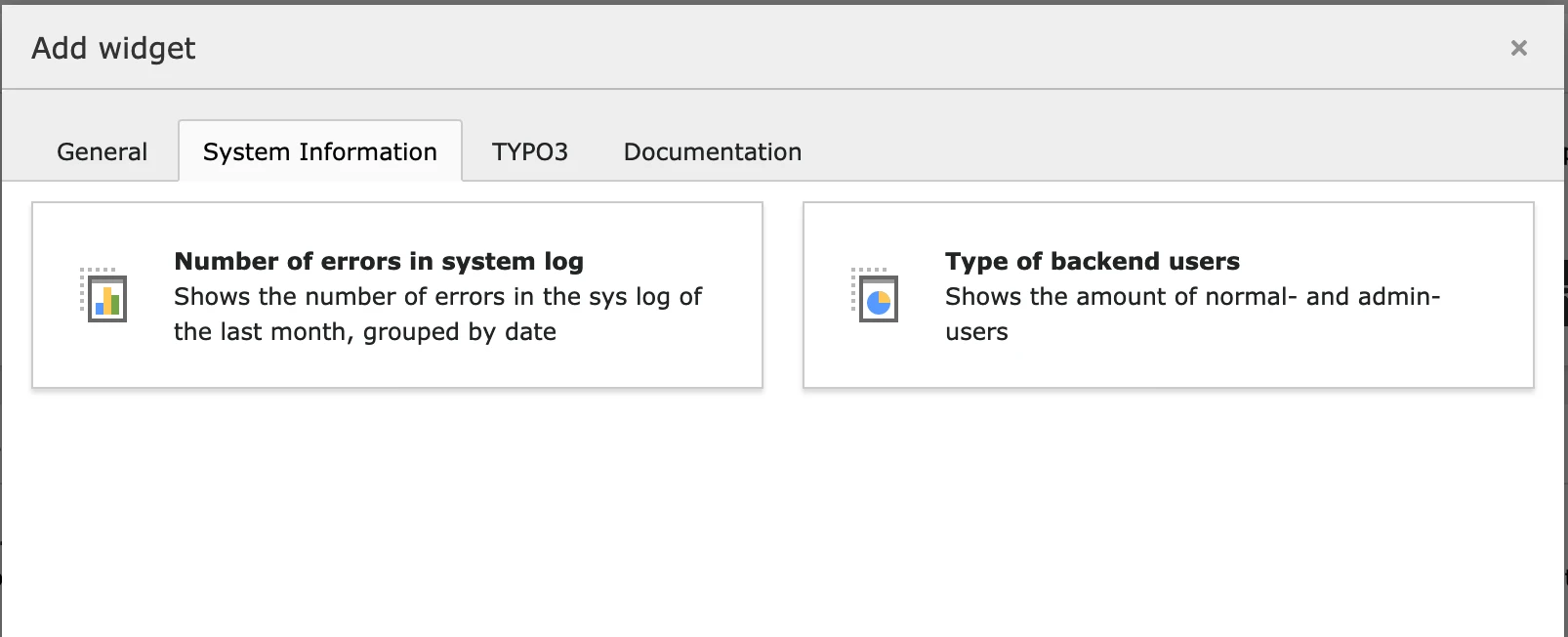
No problem: The dashboard can be easily expanded with additional custom widgets.
Using a simple YAML configuration, you can create your own variants based on the existing widgets with customized settings. For example, you can create your own RSS feed widget without writing a single line of PHP code.
If that’s not enough, you can of course develop completely custom widgets and register them via YAML to make them available in the Backend.
This way, you can provide editors with just about any information they need as a widget, such as:
The possibilities here are almost limitless.
If editors ever need a little pick-me-up, why not offer a “Joke of the Day” widget that randomly selects and displays a joke from a secure source (e.g., a trusted web service)?
There have already been colleagues here who wanted to create a random cat picture widget, but fortunately we were able to stop that. After all, we’re serious developers....
TYPO3 v10 LTS offers many new features that are both useful and helpful in the frontend and Backend, as well as for administration. We highly recommend that every TYPO3 site operator consider upgrading to version 10 LTS.
We’d be happy to advise and assist you with this! We’re already looking forward to the new challenges that this version update will bring.
If you’re considering an update to TYPO3 v10 to take advantage of the new features, please feel free to contact us.