Cancel
Start searching

This search is based on elasticsearch and can look through several thousand pages in miliseconds.
Learn more


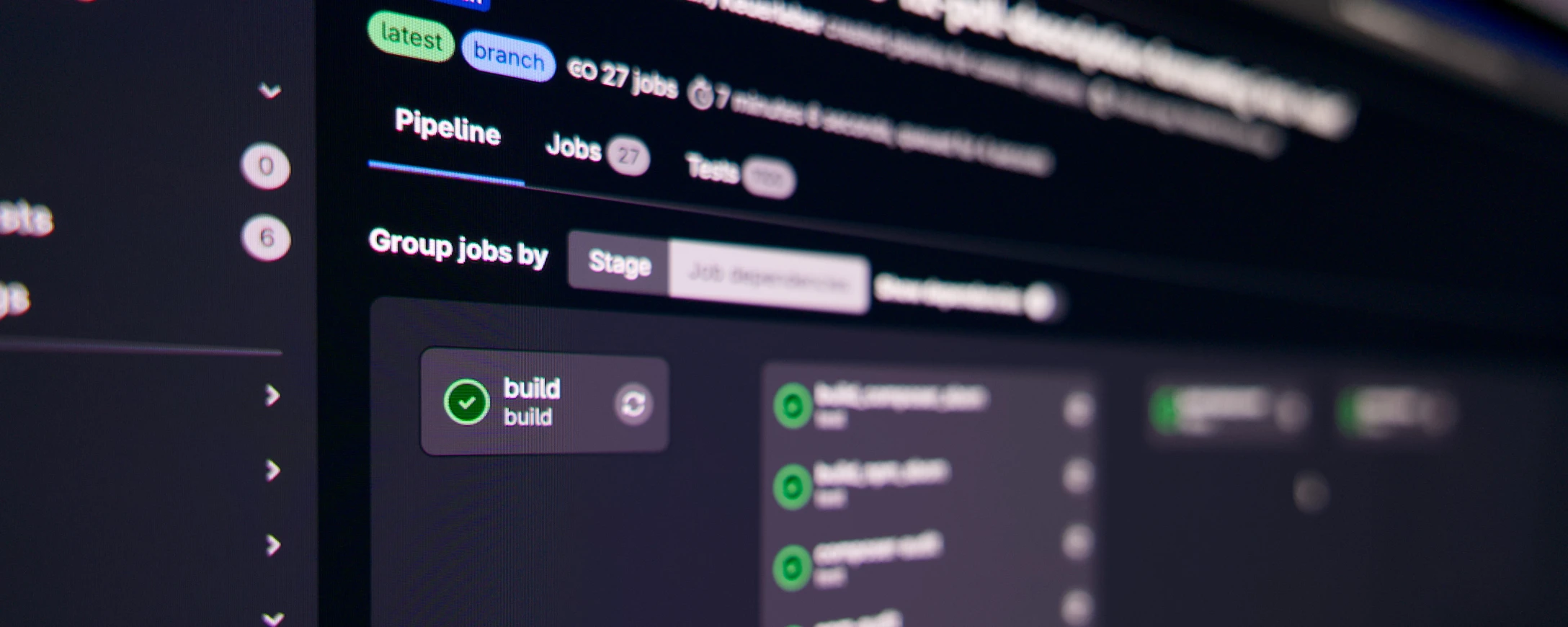
Like many other agencies, we use CI/CD in our projects. The principle is simple: Developers write code, push it to GitLab, and after each push, automated build and test jobs run—such as static code analysis, acceptance tests, etc.
As soon as a merge is made to the main branch or a tag is created, automatic deployments to test and production environments begin.
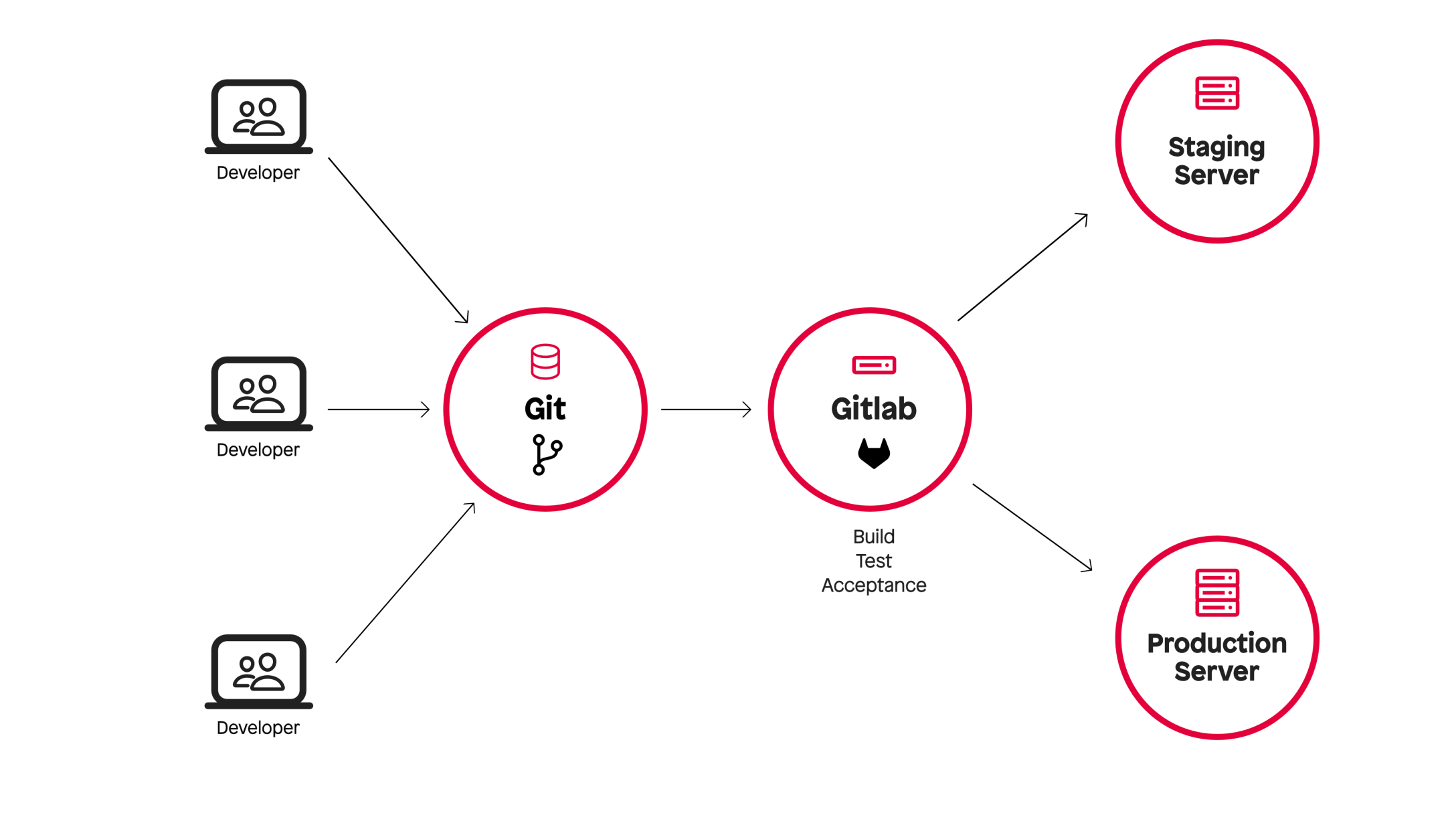
For our CI jobs, we used virtual machines from Hetzner Cloud. The platform offers a good API, its own tools for GitLab CI, and is “Made in Europe.”
Our infrastructure consisted of three parts:
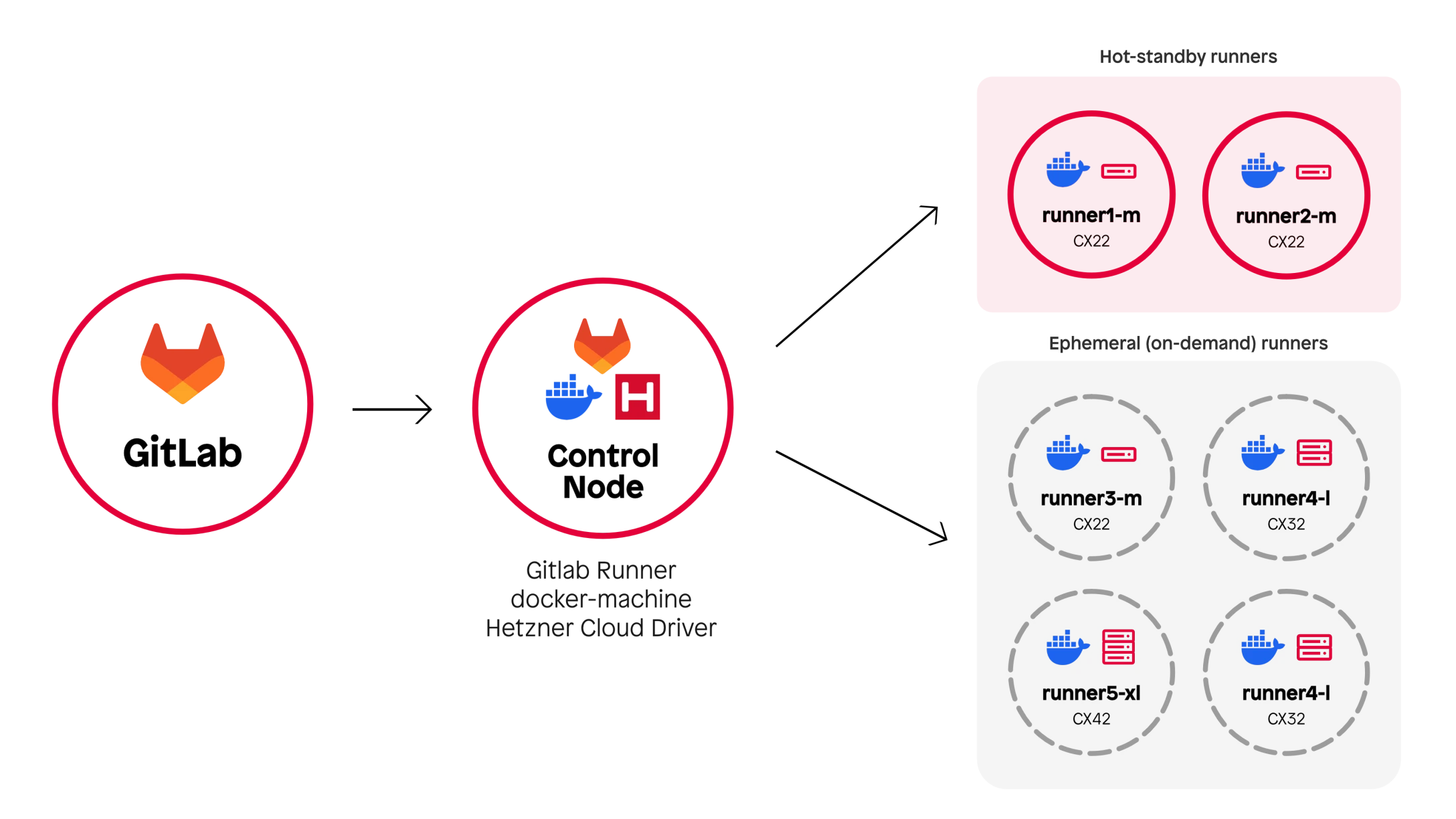
To avoid the startup time when launching a VM, we kept a pool of VMs on standby during the day. The setup remained stable and scalable for a long time.
As Hetzner’s popularity grew, so did the strain on its infrastructure. More and more CI jobs simply failed due to a lack of resources in Hetzner’s data centers—sometimes after waiting for several minutes, which was extremely frustrating.
This is no criticism of Hetzner—they were simply victims of their own success.
The performance limits of the cloud instances also became apparent: full-stack tests took up to 15 minutes, and some test scenarios crashed with OOM errors.
On top of that, Docker Machine—the software used to manage Hetzner VMs—is now deprecated and is set to be replaced by Fleeting, a new, plugin-based product developed by GitLab itself.
However, switching to Fleeting would not have solved our underlying problem—even the developers of the Hetzner plugin for Fleeting are struggling with the issue of limited resources.
For a short time, we considered switching to the public cloud—specifically GCP, Azure, or AWS. All three providers are officially supported by GitLab’s Fleeting architecture, have a mature API for VM management, and have been tried and tested by many other agencies.
Ultimately, however, we decided against it for the following reasons:

As IT professionals, we know that almost any problem can be solved with Kubernetes 🙂
Still, we decided against it.
In our day-to-day work, we use a completely different stack. Our day-to-day operations revolve around FreeBSD and Linux servers—we use containers almost exclusively in local development environments or for specific edge cases.
Setting up a new Kubernetes-based CI infrastructure would have meant a steep learning curve, a significant time investment, and additional setup and maintenance effort.
Unsatisfied with the alternatives, we spoke with TYPO3 core developer Stefan Bürk about their testing infrastructure, how it came to be, and the challenges involved.
At first glance, their approach seems almost old-fashioned: instead of cloud VMs, TYPO3.org uses Runners on dedicated bare-metal servers.
The result: no wait times for VM provisioning and enough power to continuously run hundreds of CI tests.
Instead of Docker, they rely on Podman, an OCI runtime with key advantages:
Inspired by TYPO3, we rented a dedicated AX102 server from Hetzner: 128 GB of RAM, 16 CPU cores.
Instead of a GitLab server + control node + cloud VMs, we now have: a GitLab server + a high-performance runner.

This offers immediate benefits:
TYPO3.org makes its Core Testing Infrastructure available to the community as a public service. Any contributor can use the CI infrastructure to test and validate their code.
This naturally requires a number of security measures:
In addition to these security aspects, there is a strong focus on a reproducible test workflow that can run both locally and in CI.
For this purpose, there is a standardized test script called ./runTests.sh, which can also be run on developers’ machines.
These measures work very well in the context of the TYPO3 testing infrastructure, since only a single software project (TYPO3) is tested there within clearly defined environments.
At punkt.de , however, we use our CI to build and test a wide variety of projects based on different technologies—including, of course, TYPO3, but also Neos, Keycloak, Sylius, and Ansible.
However, limiting ourselves to specific OCI images and using a uniform test script would, in our case, mean having to build in numerous exceptions and manually handle a large number of edge cases for the various projects and technologies.
As it happened, we had already migrated most of our CI pipelines to GitLab CI/CD Components.
Instead of writing a completely new pipeline for each project, this allows us to define standardized, reusable, and customizable building blocks that can be imported into any project.
Examples: We have our own CI components for Composer, npm, PHP-Stan, PHP-CS, etc.
As a result, the switch to Podman was essentially just a matter of adapting these components to Podman. This meant that only minimal changes were required within the individual projects themselves.
Our full-stack tests run using Docker Compose. Although Podman offers `podman-compose`, it is not fully compatible.
Missing features: health checks and the --wait parameter. Solution: an additional `docker-compose.override.yml` file in which health checks and ` service_healthy` dependencies are disabled, e.g.,
services:
  php:
    depends_on: !reset null
  postgres_schema_modify: !reset null
  keycloak:
    depends_on: !reset null
Since we couldn't rely on health checks, we turned to simpler methods, such as repeatedly sending `curl` requests to endpoints until they returned "ready."
Apart from that, we were able to migrate the tests to Podman with only minor adjustments.
At the time ofpunkt de's setup, only Podman 4.x was available in the Ubuntu/Debian repositories—which had known bugs with DNS resolution. We had to hard-code domain names to avoid problems.
These bugs have been fixed in Podman 5.x, which, however, is only included in Ubuntu 25.04. Our solution: include packages from 25.04 and pin the Podman-dependent packages. Not ideal, but it works.
The switch was worth it—the numbers speak for themselves:
And most importantly: no more unstable jobs due to resource shortages.
Previously, we paid between €200 and €240 per month for cloud infrastructure.
Now: €104 for an AX102 Runner—with significantly more performance.
To this day, the machine is still far from reaching its limits.
Of course, this setup isn't perfect either. Things to keep in mind:
On the other hand, there are clear advantages:
After a few months of use, we’re convinced: The switch from cloud VMs to bare metal was absolutely worth it.
To help others make the switch more easily, we’ve published the Ansible role we used to set up our GitLab Runner. Give it a try, set up your own runners, and let us know what you think.
And if you’d also like to speed up your pipelines while reducing costs, we offer GitLab consulting— feel free to contact us for details.