Cancel
Start searching

This search is based on elasticsearch and can look through several thousand pages in miliseconds.
Learn more

With Neos as a content application platform, even the most complex online projects can be implemented. Fusion, a powerful domain-specific language, plays a central role in implementation. Like any language, Fusion is difficult to learn simply by reading the documentation. Examples of solutions to specific problems can be helpful, and of course: just give it a try!
However, large, established projects with many dependencies don’t make it easy to simply experiment. For front-end code in HTML, CSS, and JavaScript, there are project-independent online platforms like JsFiddle or CodePen, which make testing code snippets and sharing examples a breeze. Something like that would, of course, also be very useful for front-end rendering in Neos.
Sebastian Helzle also expressed this in a tweet. As a result, the idea made it onto the agenda as a project at our last Just-Do-It-Day, and a small team set out to implement the concept of an online code editor and live renderer for Neo’s Fusion.
Within just a few hours, the first lines of code were written, and the first live rendering was successful. However, there was still a lot of work to be done to turn the proof of concept into a presentable application. So today, we’re all the more excited to introduce FusionPen to the Neos community.
Whenever I‘m on codepen or any other code editing page I want the same for Fusion in #NeosCms. Would help a ton to quickly show examples and play with ideas.
— Sebastian Helzle (@sebobo) November 29, 2019
Fusion has been part of Neos as a scripting language from the very beginning. In the early days, however, it served mainly as glue code between the content management system’s data and rendering with Fluid templates.
In recent years, however, Fusion has evolved into the powerful and central rendering language in Neos. Unlike its alternative, Fluid, Fusion is particularly well-suited for a component-driven site structure, enabling the writing of well-structured and reusable rendering code—an absolute must in large projects. Thus, at the latest since the introduction of AFX, Fusion has completely replaced Fluid in our Neos projects.
In addition to basic language constructs, Fusion consists of so-called Eel statements: single-line operations for processing content. FlowQuery is the query language used to traverse the tree structure of the ContentRepository and extract any information. Configurable Fusion objects then extend the language with constructs such as loops or conditions.
FusionPen now makes it very easy to enter and test code examples—both small and large—regardless of the project.
At least one Fusion prototype always serves as the basis. Any number of prototypes can be defined in a Pen—the first prototype found is rendered. The naming convention for the prototypes is up to the user.
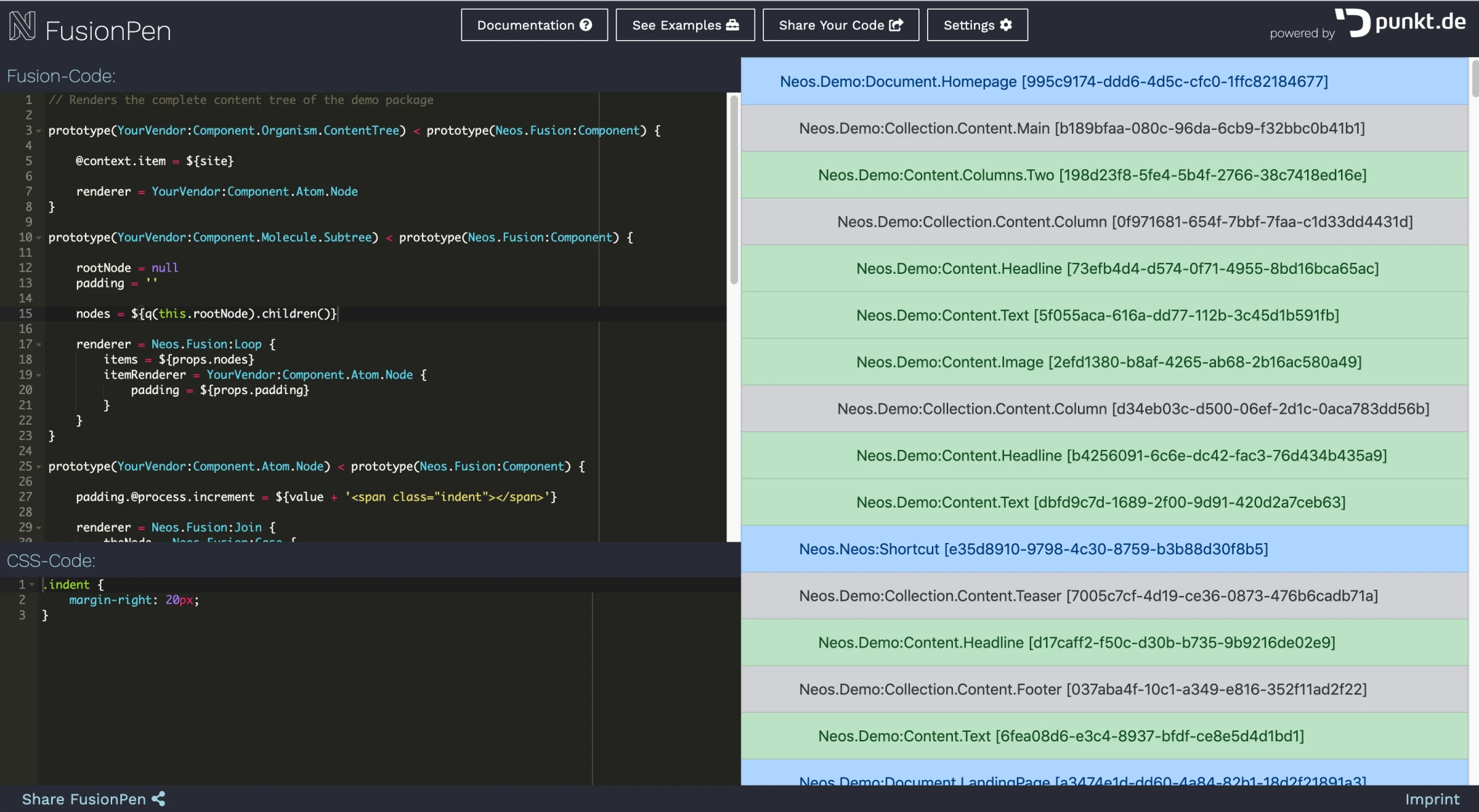
When you click "Share your Code," the code is saved to the database and a unique link to the current version of the code is generated. Changes to the code create new links, allowing you to save different versions as well.
Under "Settings," you can choose from a wide range of CSS frameworks. This way, with just a little appropriate markup, the code is not only functional but also visually appealing.
Even though Fusion alone offers a lot of possibilities, it only gets really interesting once you can work with data. Navigating through the content repository tree using FlowQuery can be quite a headache for beginners.
That’s why this should also be testable in FusionPen. The content repository behind the platform is populated with the dataset from the official Neos demo site. If a local demo site isn’t currently available to help you familiarize yourself with the content structure, you can generally take a look at it in this example or explore it in detail on the Networkteam demo site, for instance.
For projects with more than 50,000 nodes, I believe there’s no way around relying on Elasticsearch. Not only for page search, but also for sorting, paginating, and filtering documents such as news articles or products, FlowQuery alone quickly becomes inefficient.
Since using the Search Eelhelper requires not only an understanding of its operations but also of the underlying Elasticsearch functions, the learning curve here is particularly steep, and examples are especially valuable. That’s why the Elasticsearch Content Repository Adapter is also installed and available on FusionPen.
Under the "Examples" section, we plan to create a small collection of code examples and expand it on an ongoing basis. We also welcome contributions from the community. If you've written an example that's missing from the list, please feel free to send it to us.
The platform is still in its early stages. We have a few more ideas that we’d like to implement. For example, we need proper syntax highlighting for Fusion. Code completion for Fusion prototypes and Eel Helper would also be very helpful.
We hope this project proves useful to you, and we’re really looking forward to your feedback—either here in the comments section of this blog post or in the #fusionpen channel on Neos Slack.